

Introduction
In Part 1, I explored how nested feedback loops in TouchDesigner create convincing topographical illusions from pure mathematics. But capturing that perfect moment on screen is only half the story. The real challenge is translating these ephemeral digital patterns into physical artifacts while preserving their essential character.
This is the story of that translation - from raster to vector to ink on paper.
I. The Translation Pipeline
Once I’ve captured that perfect moment from TouchDesigner, the real translation work begins. This isn’t a direct vector export - it’s a multi-step process that transforms the raster feedback loops into something a pen plotter or printing press can understand.
From Screen to File
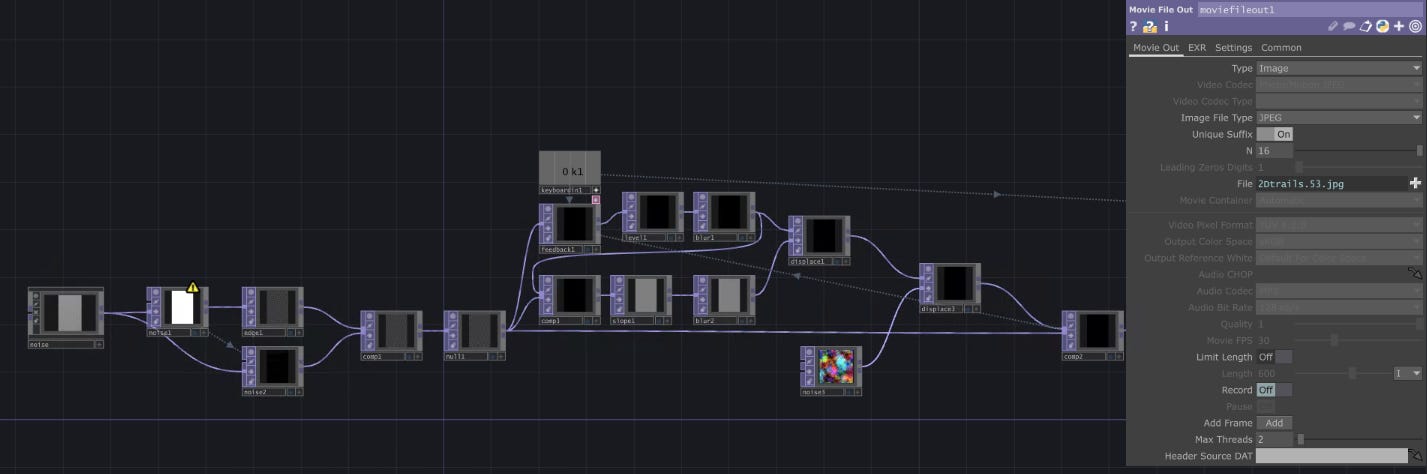
I export a JPEG from TouchDesigner at the moment of capture. This preserves exactly what I saw on screen - all the subtle gradations and organic line qualities that make the topographical illusion work. But for plotting, I need more resolution than TouchDesigner typically outputs.
Upscaling for Clarity
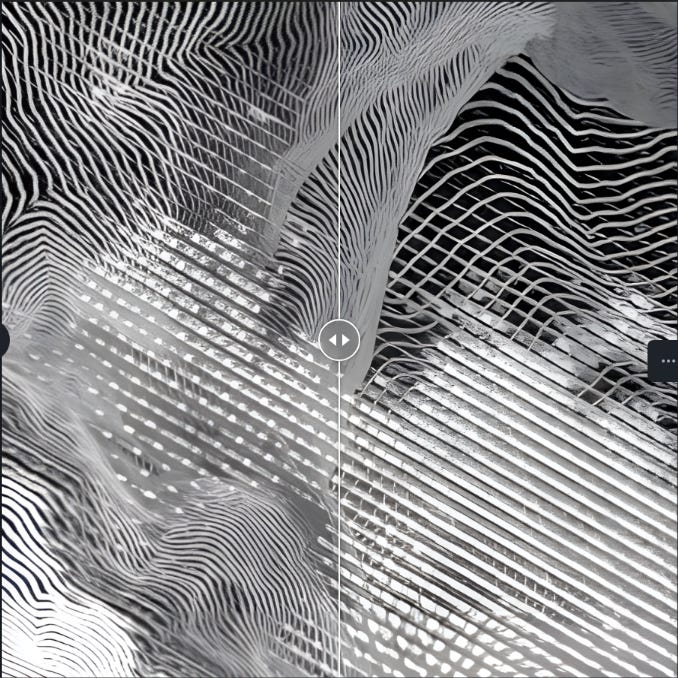
Enter Upscayl. The AI upscaler sharpens those feedback-generated lines without introducing artifacts. This step is crucial - the organic trails need to maintain their character while gaining the resolution necessary for clean vectorization. The upscaler respects the mathematical nature of the patterns, enhancing rather than interpreting.
Vectorization with Character
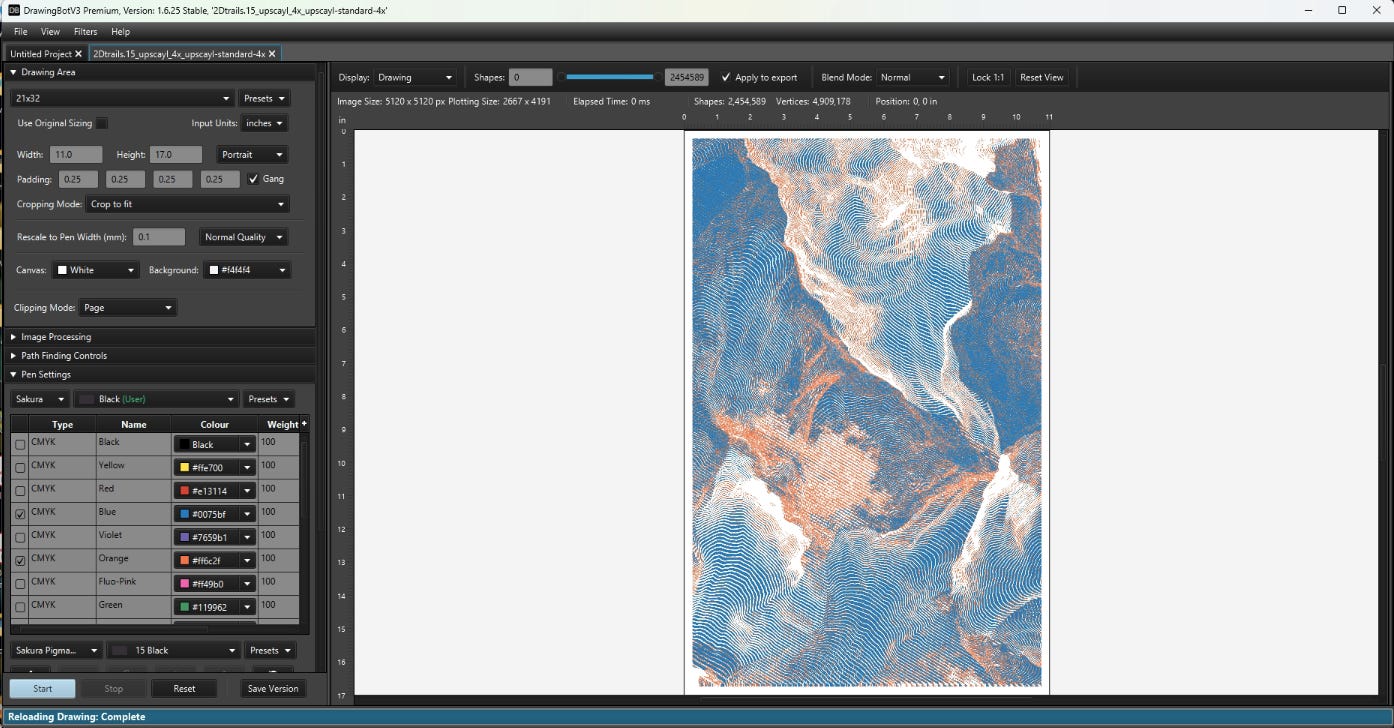
DrawingBot V3 handles the translation from raster to vector. I lean towards sketch lines and streamlined edges - settings that preserve the organic, hand-drawn quality of the original feedback trails. More aggressive vectorization tends to over-interpret the patterns, imposing geometric structure where none should exist.
The sketch line approach maintains the slight irregularities that make these patterns feel natural rather than computational. Streamlined edges cleans up the vectors without losing the essential character of the vectors.
Single Workflow, Multiple Outputs
The beauty of this pipeline is its consistency. Color separation works the same whether I’m heading to the AxiDraw or the Risograph. Both processes need clean, separated vector data - just different interpretations of the same mathematical landscape.
II. Physical Manifestation
The translation from digital to physical is where these mathematical landscapes finally become tangible objects. Each output method brings its own character to the work.
AxiDraw: Mechanical Precision
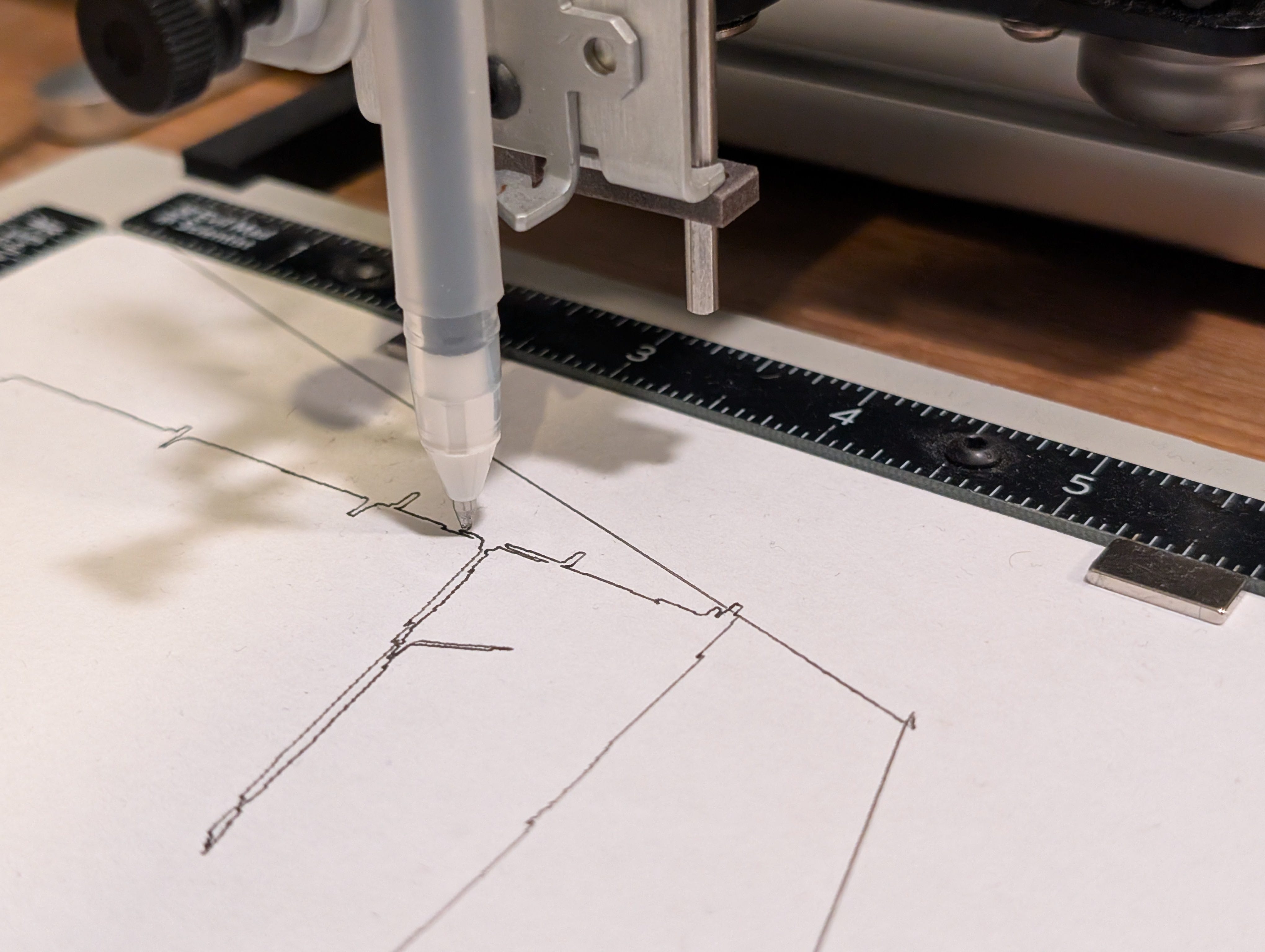
Watching the AxiDraw plot is mesmerizing. The pen traces each vector path with mechanical precision, building up the topographical illusion line by line. There’s something satisfying about seeing those feedback-generated trails recreated through physical movement - the algorithm’s wandering paths now carved by an actual pen moving across paper.
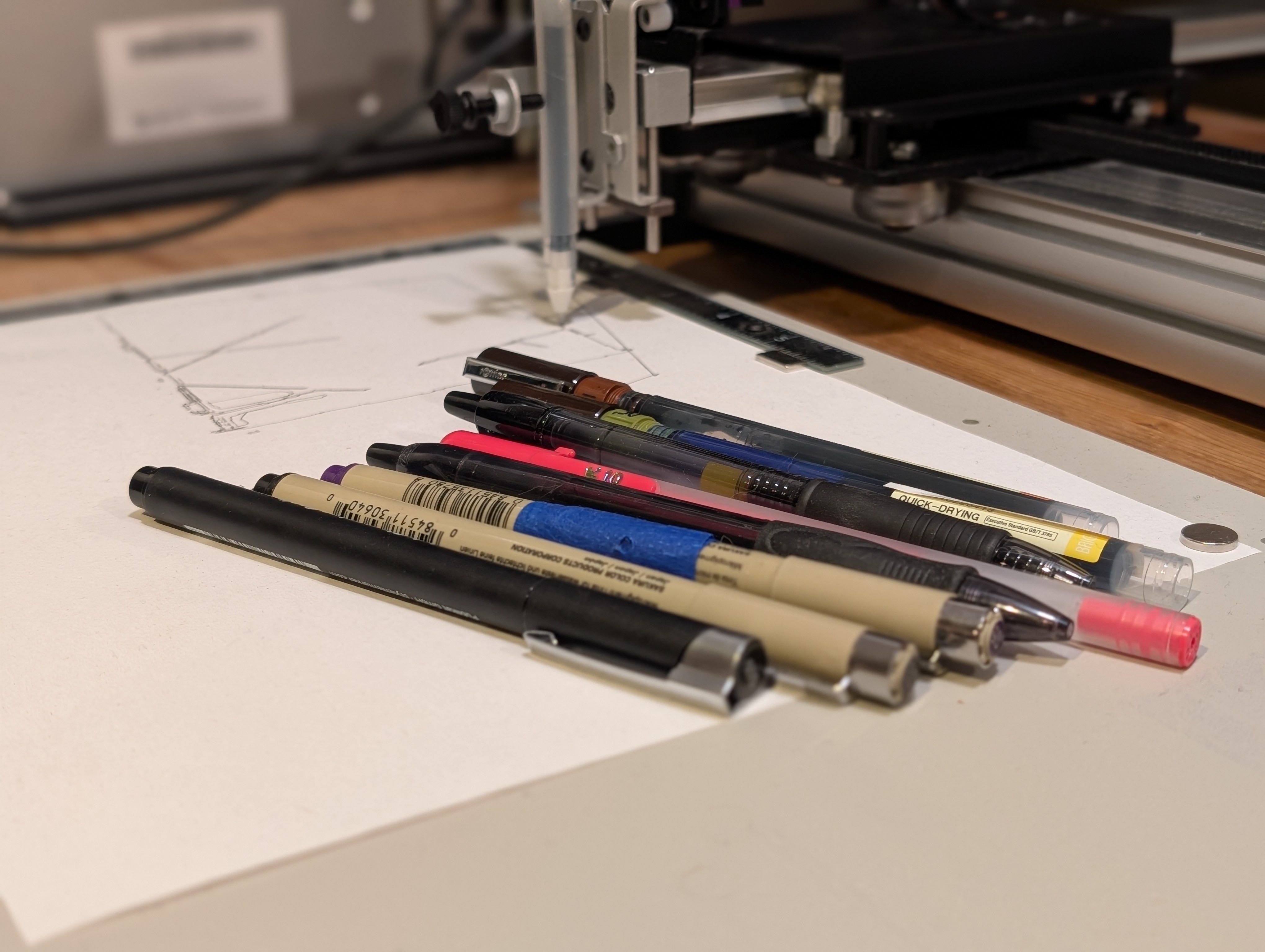
Pen choice matters. Fine-tip technical pens preserve the detail of complex line networks. Gel pens provide smooth, consistent lines that complement the mathematical precision. Felt tips add slight variation while maintaining clean edges. The mechanical precision of the plotter balances the organic irregularity of the source material.
Risograph: Stencil and Ink
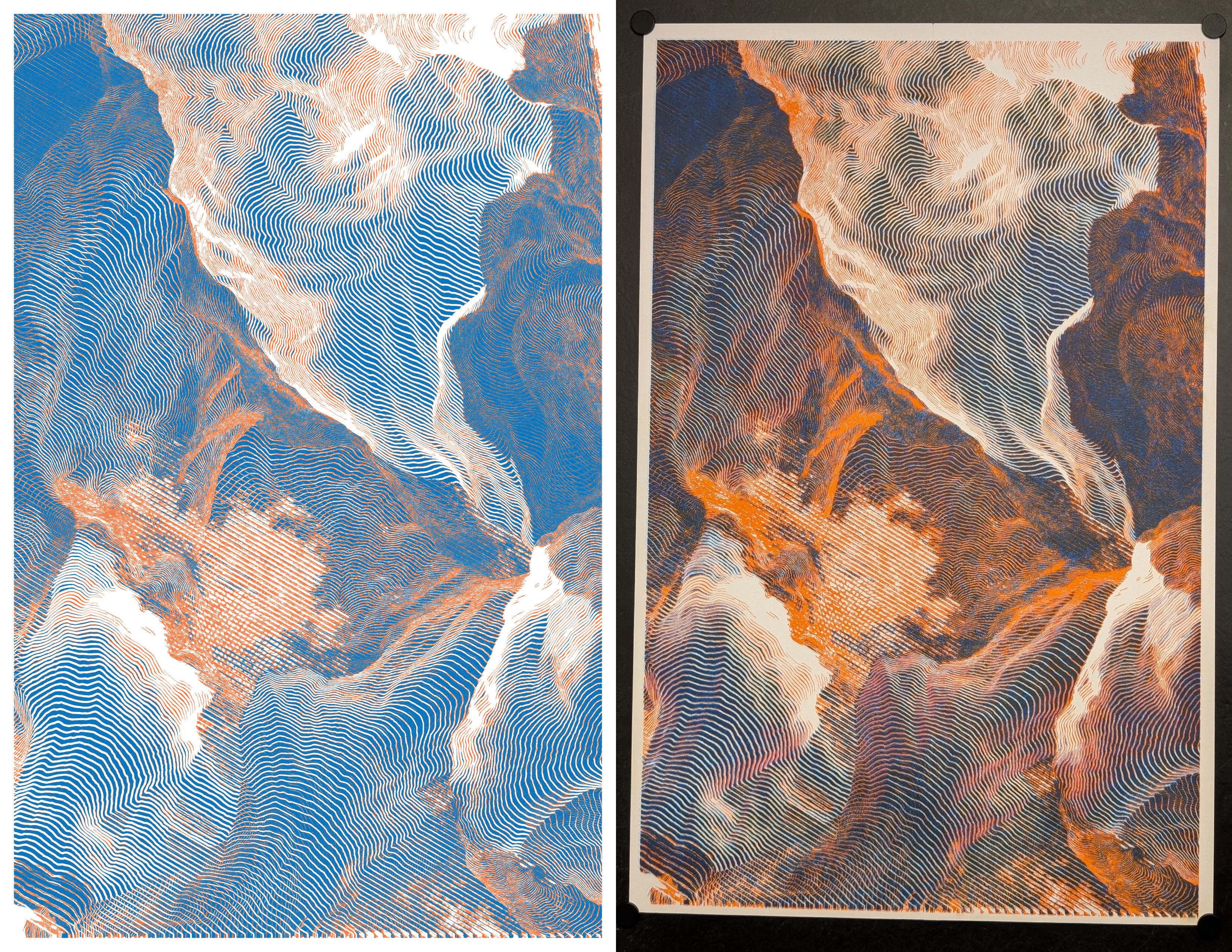
The Risograph printer brings a completely different character to the work. The machine creates a stencil (called a “master”) by burning your artwork into rice paper using thermal heads, then wraps this master around an ink drum. As paper feeds through flat, the rotating drum pushes soy-based ink through the stencil at high speed.
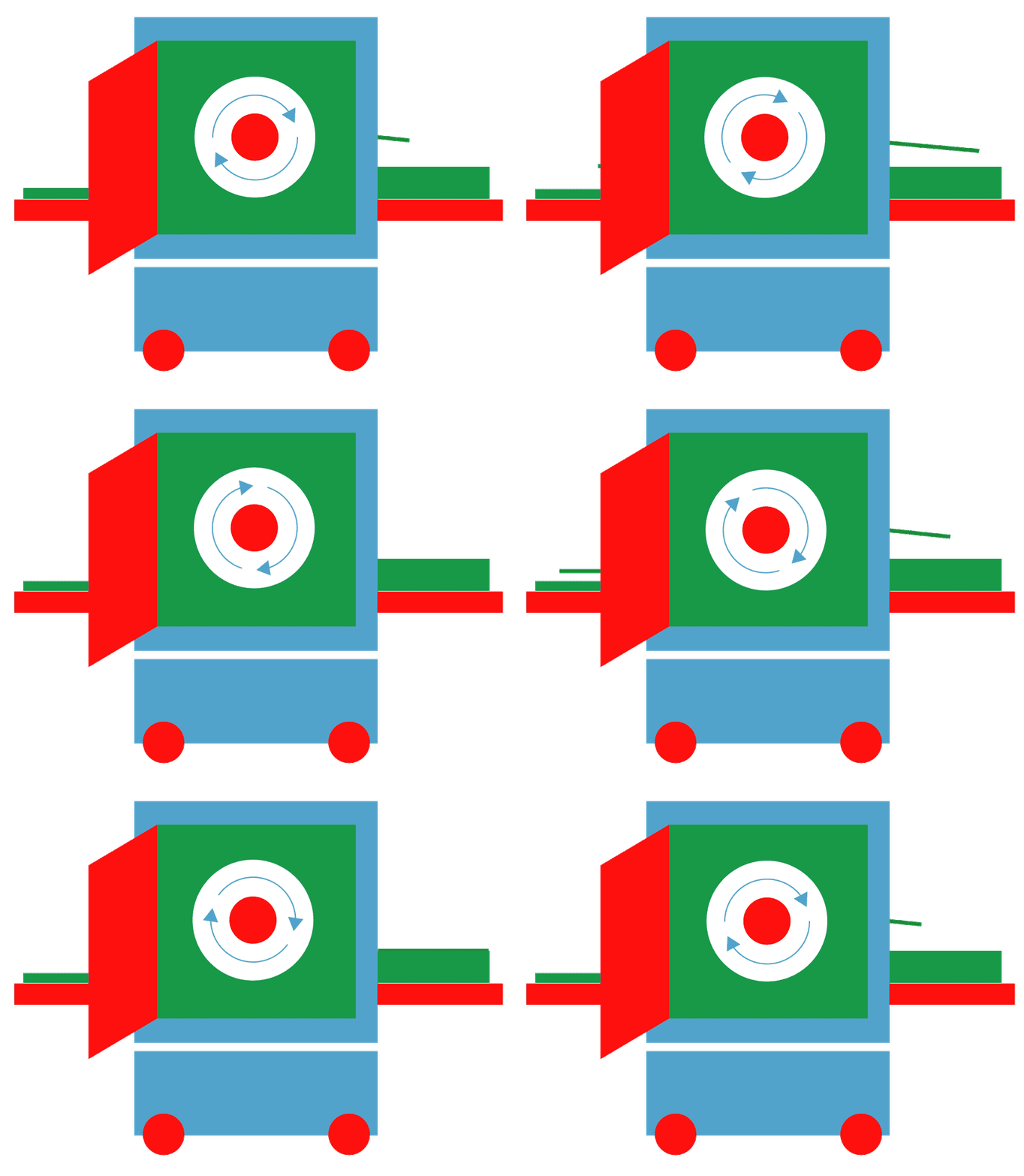
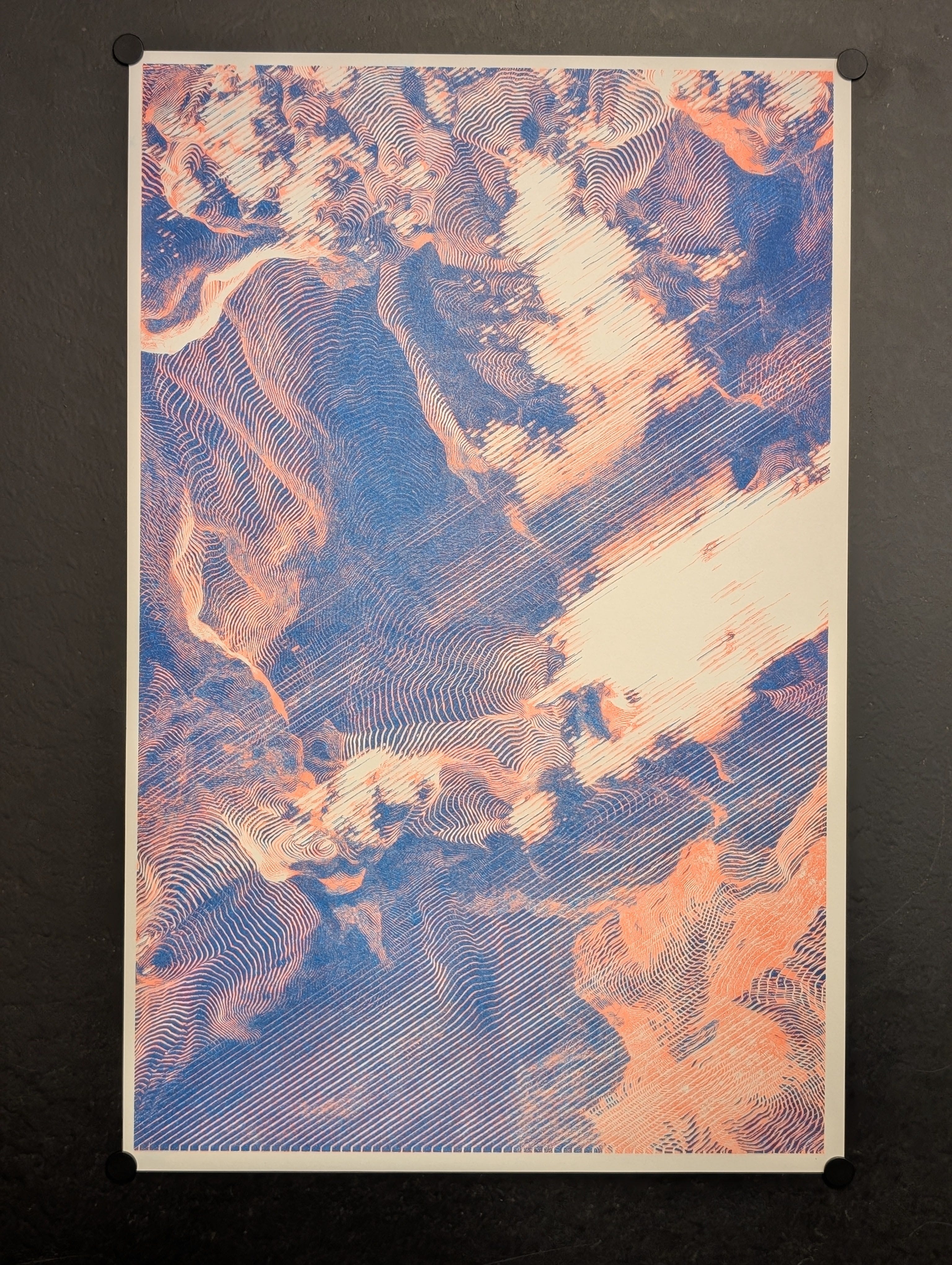
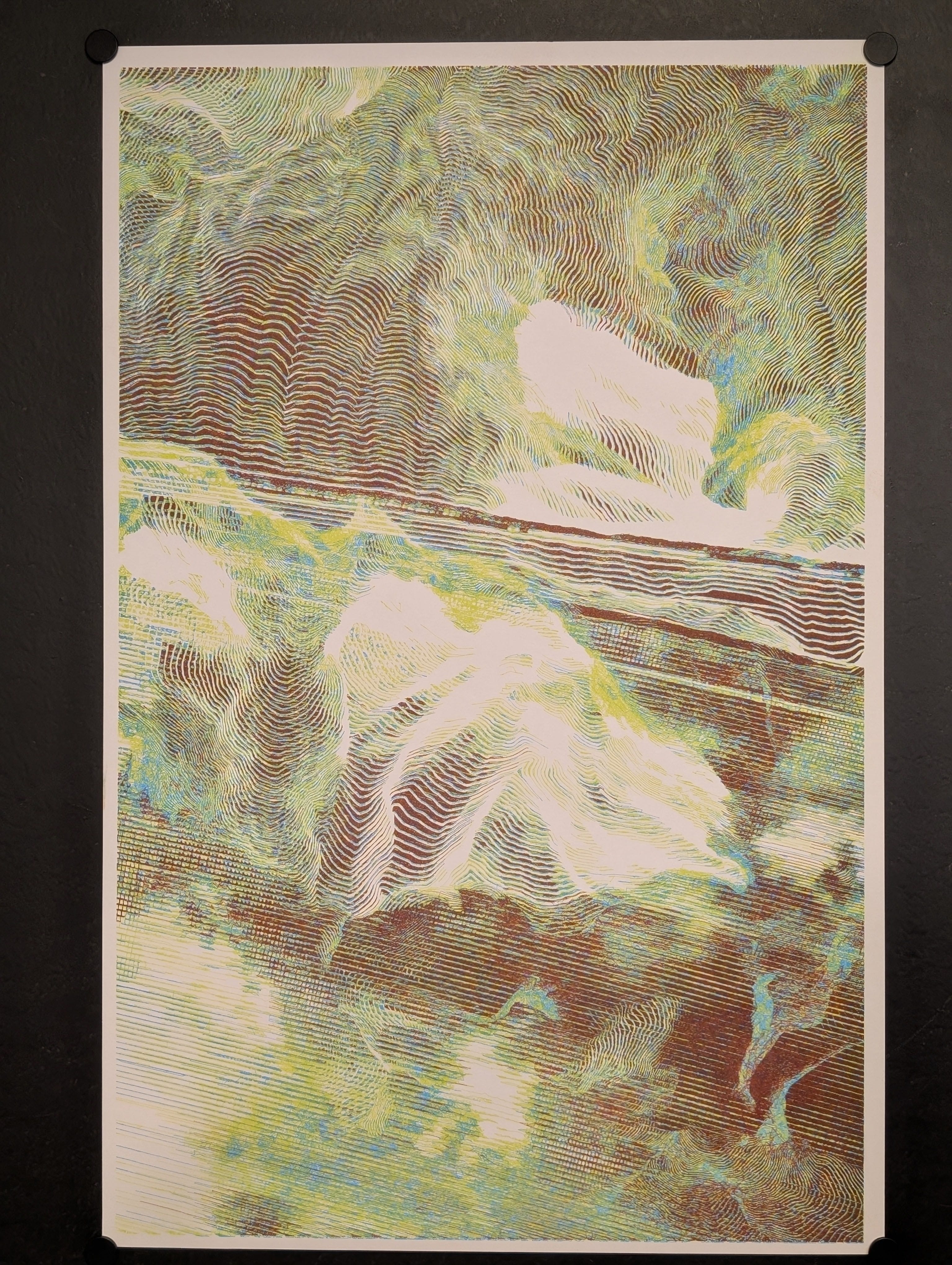
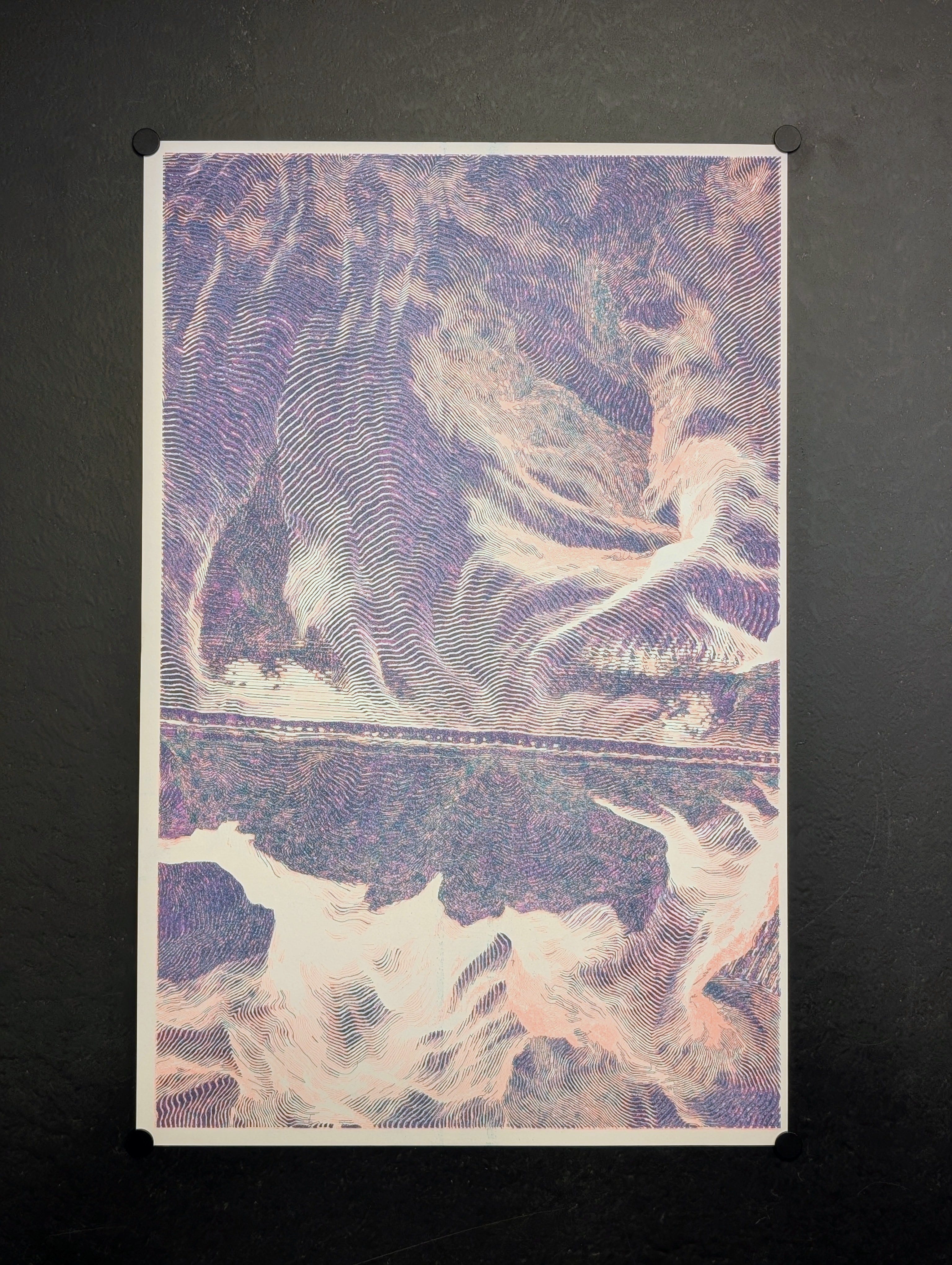
Each color prints separately, so multi-color work requires multiple passes through the machine. The speed of the process means registration between colors is never perfect - there are always slight shifts and misalignments. These “imperfections” actually enhance the work, adding to the organic quality that complements the mathematical generation process.
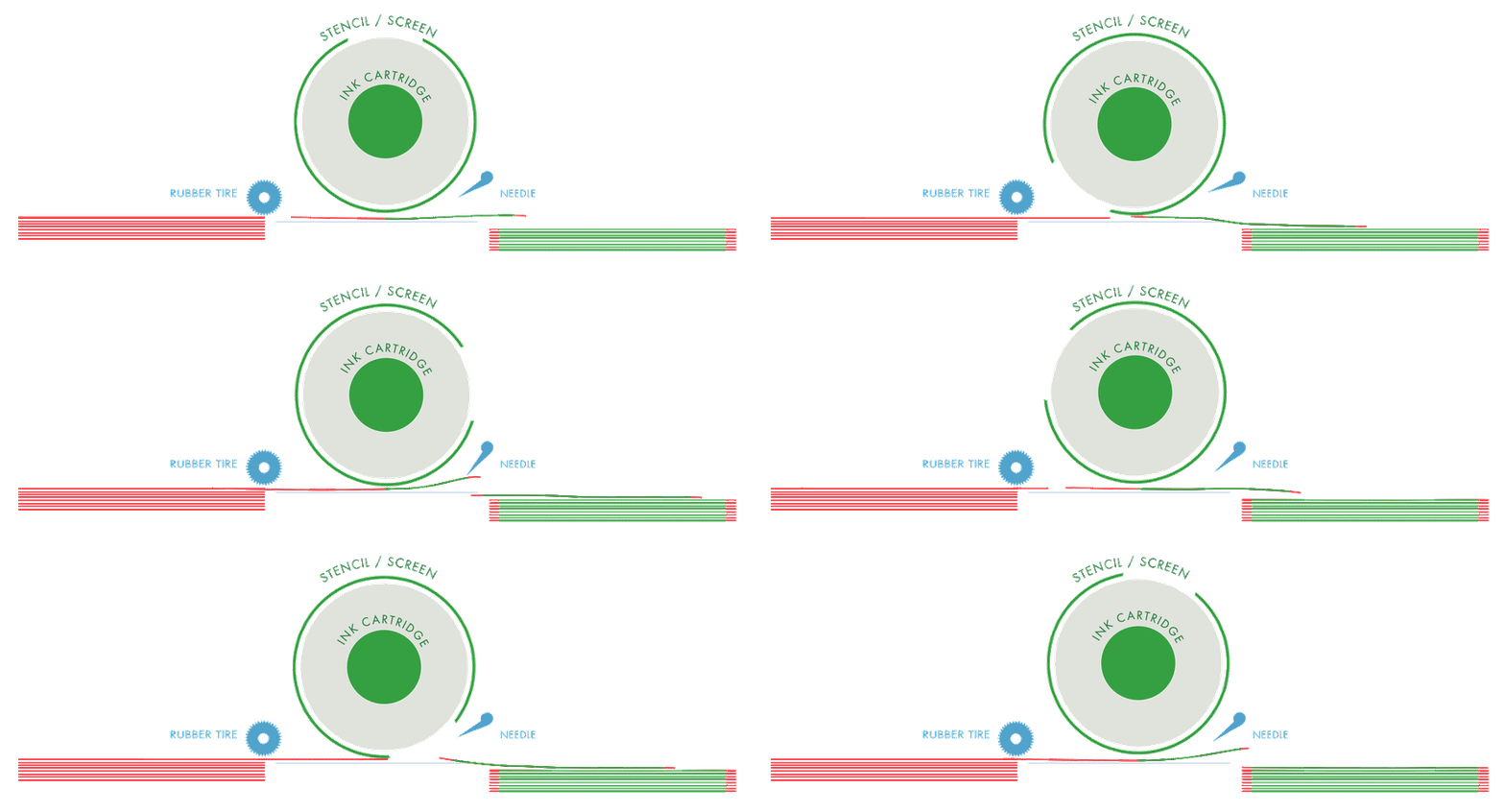
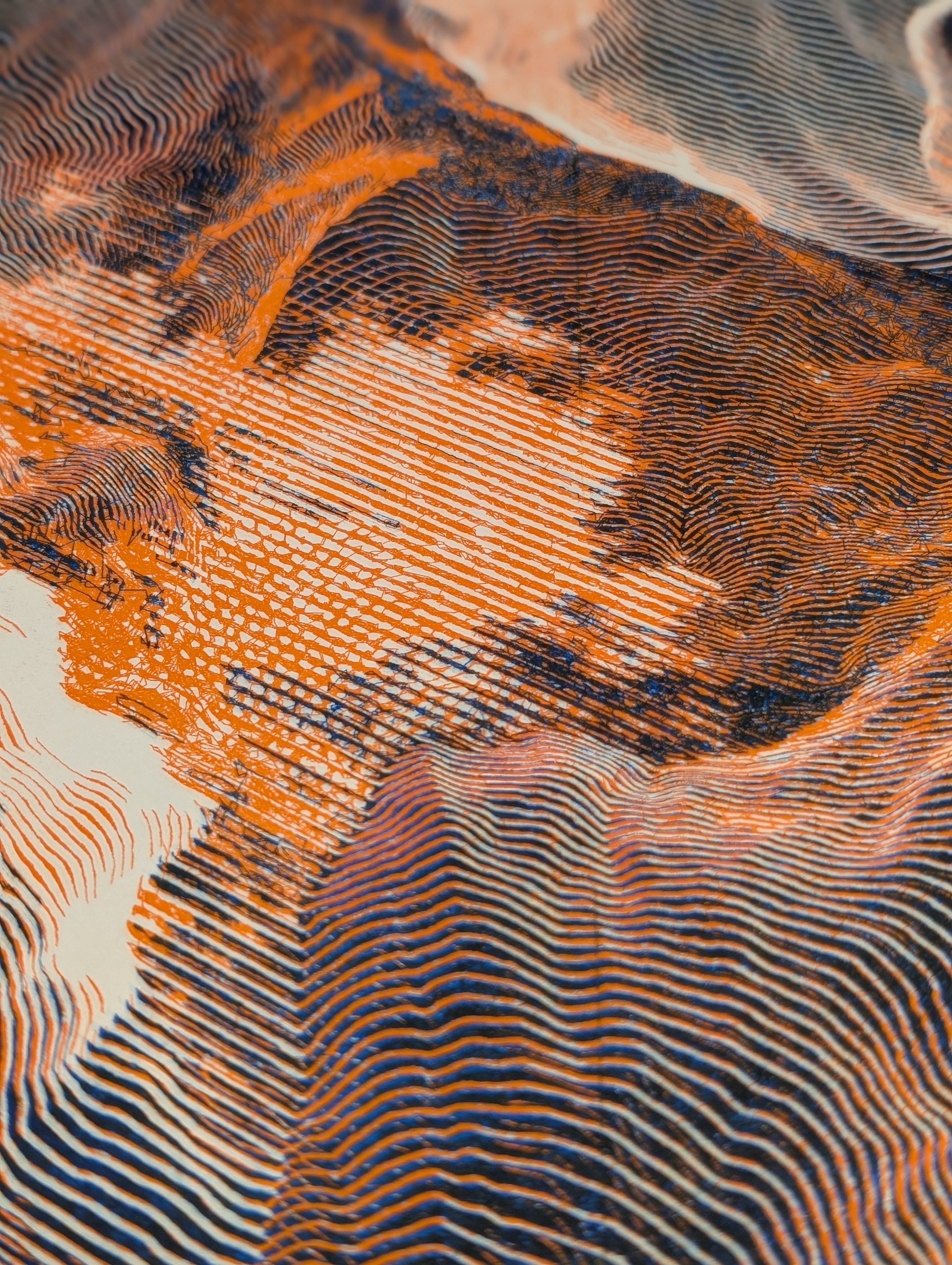
The soy-based inks sit on the paper surface and take longer to dry, creating a tactile finish. This physical presence enhances the landscape illusion - what was mathematical on screen becomes tangible, with the ink’s texture adding to the topographical feeling
Reliable Translation
What’s remarkable is the consistency. That moment of recognition on screen - when the patterns hit their perfect balance - translates reliably to the physical output. The pipeline preserves the essential qualities that make the topographical illusion work. What you see is genuinely what you get.
III. What the Paper Reveals
The physical output reveals things that weren’t visible on screen. Details emerge that the digital display couldn’t show - subtle line weights, the actual texture of ink on paper, the way light catches the raised surface where the pen pressed into the fiber.
The Slow Reveal
Watching the AxiDraw work is the opposite of TouchDesigner’s instant feedback. The landscape emerges gradually, line by line, giving you time to see the composition build in a completely different way. Sometimes a section that looked unremarkable on screen becomes compelling when drawn slowly with physical ink.
Different Physical Qualities
The AxiDraw creates clean, precise lines with mechanical consistency. But the slow plotting process means I typically make just one copy - each piece takes significant time to complete.
The Risograph opens up different possibilities. The high-speed printing process lets me create multiples, turning these unique digital moments into small editions. The soy-based ink sits on the surface with a slightly raised texture, and the inherent registration variations mean each print in the edition is subtly different - maintaining the uniqueness while allowing for distribution.
Preserved Intent
Despite all these transformations - digital to raster to vector to physical - the essential recognition moment survives. That balance point where patterns read as landscape rather than abstract marks translates reliably through both output methods. The pipeline preserves what matters while adding qualities that enhance rather than detract from the core illusion.
IV. Technical Appendix
For those interested in exploring this process themselves, here are the essential technical details.
TouchDesigner Setup
The patch relies on two nested feedback loops. The first uses animated noise fed through edge detection and into a composite feedback. The second takes this output, runs it through edge detection again, and feeds into a second feedback loop set to maximum blend mode. A keyboard input triggers resets on both loops simultaneously.
Software/Equipment
TouchDesigner
Upscayl for AI upscaling
DrawingBot V3 for vectorization
AxiDraw plotter
Access to Risograph printer for editions
Key Considerations
The noise animation speed and edge detection strength are the primary variables for controlling pattern evolution. Too fast and patterns become chaotic; too slow and they lack energy. The reset timing is crucial - knowing when to start over versus when to let patterns develop is something that comes with practice.
Color separation workflow remains consistent regardless of final output method. Both AxiDraw and Risograph processes benefit from clean vector data with minimal overlapping elements.
Closing
From nested feedback loops to ink on paper, this process bridges the gap between mathematical emergence and physical artifact. The challenge isn’t just technical - it’s preserving that intuitive moment of recognition through every transformation. When it works, you end up with landscapes that never existed, carved from nothing but code and time.
Really appreciated this sharing of your workflow. Your tempting me to getting into physical printing.
No problem at all! Part of the reason im sharing is to inspire others as I was inspired!